Printer Services & Setup Help
Welcome to Infranix Solution. We help everyday home users, families, and small offices get their printers unboxed, set up, connected to Wi-Fi, and printing cleanly without hassle.
What We Can Help You With
🖨️ New Printer Unboxing & Quick Setup
- Unboxing & Tape Removal – Safely remove all shipping tapes, cardboard packing guards, and transit locks so your new printer is ready to roll.
- Ink & Toner Installation – Clear walkthroughs on filling ink tanks or inserting starter toner cartridges cleanly without spills.
- Ready in Minutes – Easy-to-follow steps to get your printer ready for everyday printing on Windows, Mac, or mobile devices.
📶 Wi-Fi & Wireless Printing Setup
-
✔
Cord-Free Wireless Printing – Connect your printer to your home or office Wi-Fi network so you never need to plug in a cable.
-
✔
Print From Any Phone or Tablet – Quick setup for Apple AirPrint and Android printing so you can print photos and emails right from your couch.
-
✔
Fix "Printer Offline" Issues – Easy steps to get your printer talking to your computer again if your Wi-Fi connection gets disconnected.
✨ Print Quality & Clean Roller Care
- Clear Streaks & Faded Lines – Step-by-step guidance on running printhead cleanings to bring back dark, crisp letters and vibrant photo colors.
- Smooth Paper Feeding – Tips for gently wiping dust off paper feed rollers so paper glides through smoothly without jams.
- Routine Checkups – Simple everyday care advice to keep your printer running like new for years to come.
💧 Original Inks & Toner Delivery
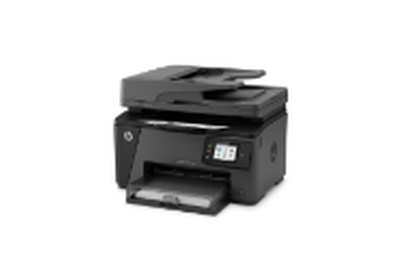
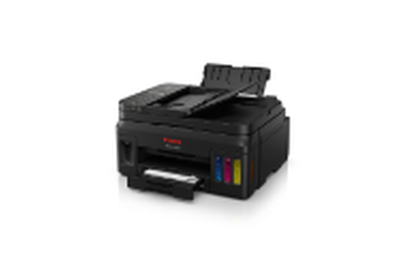
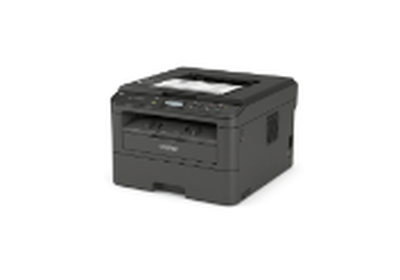
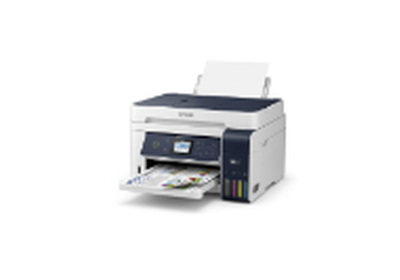
- Genuine Factory Supplies – High-yield original ink bottles and toner cartridges made specifically for HP, Canon, Brother, and Epson printers.
- Crisp, Smudge-Free Results – High-grade inks and powders designed to deliver clear pages that do not fade over time.
- Fast Doorstep Shipping – Prompt delivery right to your door so your home or office never runs out of ink at the wrong moment.
🏢 Small Office & Multi-Computer Printing
- Share One Printer Easily – Connect multiple laptops and computers in your office to one central printer.
- Simple Document Scanning – Set up one-click scanning directly into your computer folders or email inbox.
- Money-Saving Printing Advice – Friendly recommendations on choosing the most economical printer for your daily page volume.
Why Choose Infranix Solution?
-
✅
Plain English, No Complicated Jargon – We explain every step in simple, friendly words so anyone can follow along with confidence.
-
✅
Clear, Upfront Pricing – Honest and straightforward rates with zero hidden charges or surprise costs.
-
✅
All Major Brands Covered – Helpful experience with everyday HP, Canon, Brother, and Epson inkjet and laser models.
-
✅
Fast & Friendly Guidance – Quick replies to your questions so you can get back to printing your important documents quickly.
-
✅
Original Factory Consumables – Only authentic manufacturer inks and toners to keep your machine in top shape.
How It Works in 4 Simple Steps
-
1️⃣
Tell Us What You Need – Fill out our simple inquiry form or send us an email with your printer brand and model.
-
2️⃣
Get Clear Recommendations – We send you clear, easy-to-follow instructions or official driver download links tailored to your setup.
-
3️⃣
Follow Simple Steps – Follow our straightforward walkthrough to connect your Wi-Fi, load paper, and pair your computer or phone.
-
4️⃣
Print a Test Page & Enjoy – Print a sample page to verify everything looks crisp, and enjoy effortless everyday printing!
Frequently Asked Questions
Simple answers to common questions about setting up and using your printer:
This is usually because your printer momentarily lost its Wi-Fi signal, or your router assigned a new address to the printer. Turning your printer off for 30 seconds and turning it back on often fixes it immediately. You can also re-enter your Wi-Fi password on the printer screen to reconnect.
Ensure your mobile device is connected to the same Wi-Fi network as your printer. On Apple devices (iPhone or iPad), tap Share and choose Print using built-in AirPrint. On Android devices, open the document or photo and select Print from the menu.
When a printer sits idle for a couple of weeks, ink can dry in the tiny nozzles. Go into your printer's settings menu and choose "Printhead Cleaning" or "Nozzle Clean". Run it once or twice, then print a test page to verify your colors look crisp again.
Always download drivers directly from the official website of your printer maker (HP, Canon, Brother, or Epson). Choose the basic print driver package so you only install the essential software needed to print and scan cleanly without slowing down your computer.
You can email our customer desk directly at service@infranixsoln.online or call us at +1 (888) 529-8710, Monday through Friday from 8:00 AM to 7:00 PM EST. Our team is always happy to guide you in plain, friendly English.